Cut your 3D models, connectors generated automatically
Split STL, OBJ and FBX online, free. No CAD, no install, files never leave your computer.
✓ No install · ✓ Free to start · ✓ Files never leave your PC


Eight cuts, from the neck to the ankles
Simple workflow
From your model to parts that lock together.
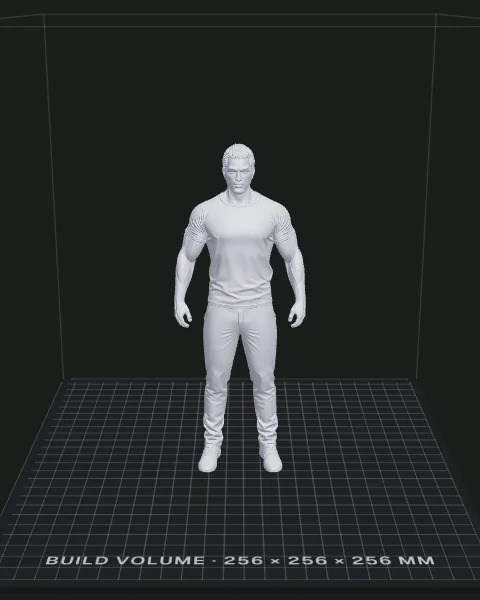
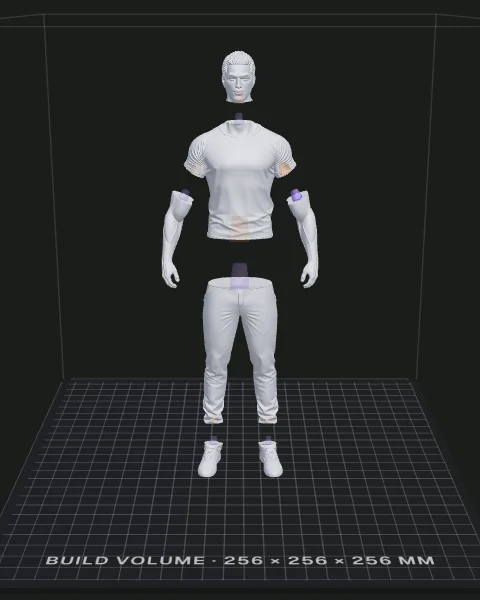
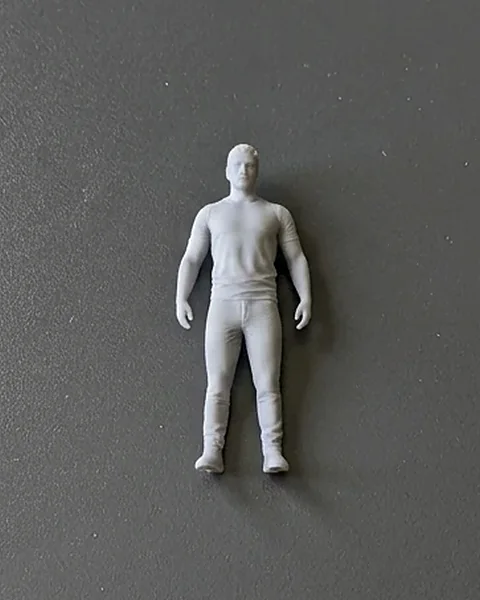
Choose your cut
Cut by hand or with automatic tools. Reshape any cut after.
Start with the plane cut, free
Cutting, the peg connector and export cost nothing, with no limit. The seam cuts, the 360° loop cut, editing a cut, the magnet connectors and files without the mark come with Starter and Pro, and nothing you make today stops working.
Works with the files you already own
A model is any printable mesh: a Patreon figurine, a Printables download, your own sculpt. Drop it in, split it, print it.
Roadmap
Three more tools and two more connectors are in the works. Each one arrives with the plan on its card, when it is ready.
Pricing
−60% on the first month of your first subscription, then the monthly price. Switch plans anytime: you only pay the difference.Secure payment with Stripe
Your files never leave your computer. Every cut runs locally in your browser. Nothing is uploaded, nothing is stored.
Good to know
💸 Is it really free?
Yes. Plane cuts, the peg connector and STL export are free, with no limit on how many models you export: all it takes is a free account. Free files carry a small Split3D engraving and are for personal use. The paid plans add the seam cuts, the 360° loop cut, the magnet connectors and files without the mark; Pro also lets you sell what you print.
🌐 Do I need to install anything?
No. Split3D runs entirely in your browser on desktop Chrome, Edge, Firefox or Safari. No plugin, nothing to install. Downloading your pieces takes a free account.
🗿 What can I split?
Anything printable: busts, statues, cosplay props, figurines, vases, terrain. Draw a line where you want the split and print the pieces.
📤 What do I load, and what do I get back?
You load an STL, OBJ or FBX. You get one STL per piece, in millimetres, with the connector already modelled in: a peg on one piece, its socket on the other.
🔒 Are my files private?
Completely. The whole process happens on your machine. Your model is never sent to a server, never cached, never seen by us. That stays true with an account: your email address and your plan live online, never your files.
🖨️ What printer do I need?
Any FDM or resin printer. Pieces are exported as plain meshes: slice them as usual. The connector clearance defaults to 0.2 mm, a safe value for most FDM setups, and you can tune it.
🔩 How do the pieces hold together?
With a tapered peg and matching socket cut straight into the mesh. It keys the pieces so they seat in one position, with the clearance you set left around the peg; add a drop of glue for a permanent bond.
📐 How big can my model be?
Models up to a couple of million triangles work on a normal laptop. Bigger sculpts take longer to cut (the whole job runs on your CPU) but nothing is uploaded, so there is no size cap on our side.
Still here? Try it on an example
No file needed. The tool opens with a model already loaded, draw one line and see the pieces come apart.
Drop your STL, OBJ or FBX file here
Your model stays on your computer. Nothing is uploaded.
Split more.
Sell more.
No card needed to start. Commercial rights included on Pro.
Free account, no card needed
- Unlimited exports, no weekly counter
- Plane cut and peg connectors
- Runs 100% in your browser
- Edit cut: reshape after cutting New
- Personal use only - not for resale
- A small “Split3D” engraving on one piece
€6
Billed monthly, €6 / mo, tax included
Every cut, no mark, personal use
- Every cut type: plane, freehand, edge loop and 360° loop
- Edit cut: reshape after cutting New
- Peg and magnet connectors
- No Split3D mark on your files
- Unlimited exports
- Personal use only - not for resale
€11
Billed monthly, €11 / mo, tax included
Cancel anytime
- Sell everything you print, as many copies as you like
- Everything in Starter
- Edit cut: reshape after cutting New
- Articulated joints, ball joint and hinge Soon
- Automatic segmentation Soon
- Pick a part: automatically isolate the hair, a bag… in one click Soon
- Early access to new tools
−60% on the first month of your first subscription, then the monthly price. Switch plans anytime: you only pay the difference.Secure payment with Stripe
Compare all plans
| Feature | Free | Starter | Pro |
|---|---|---|---|
| Model exports | Unlimited | Unlimited | Unlimited |
| Cuts per model | Unlimited | Unlimited | Unlimited |
| Plane cut | ✓ | ✓ | ✓ |
| Seam cutting (freehand & edge loop) | ✕ | ✓ | ✓ |
| 360° loop cut | ✕ | ✓ | ✓ |
| Edit cut New | ✕ | ✓ | ✓ |
| Detail extract | ✕ | Soon | Soon |
| Peg connectors | ✓ | ✓ | ✓ |
| Magnet connectors | ✕ | ✓ | ✓ |
| Ball joint | ✕ | ✕ | Soon |
| Hinge | ✕ | ✕ | Soon |
| Automatic segmentation | ✕ | ✕ | Soon |
| Pick a part: isolate the hair, a bag… in one click | ✕ | ✕ | Soon |
| Mark-free files | ✕ | ✓ | ✓ |
| Sell what you print | ✕ | ✕ | ✓ |
| Early access to new tools | ✕ | ✕ | ✓ |
| Files stay on your computer | ✓ | ✓ | ✓ |
| Price, tax included | €0 | €6 / mo | €11 / mo |
| First month | €0 | €2.40 (−60%) | €4.40 (−60%) |
| Commitment | None | Cancel anytime | Cancel anytime |
Questions about plans
Which plan is right for me?
Plane cuts and pegs, for yourself: stay on Free, with no limit on exports. Seam cuts, editing a cut, magnet connectors and files without the mark: Starter. Selling your prints, taking commissions or running a shop: Pro, which adds commercial rights, and the articulated joints when they ship.
What can I do on the free plan?
Load any STL, OBJ or FBX, cut it with a plane, add peg connectors and, with a free account, export as many models as you like: nothing is counted. Free files carry a small Split3D engraving and are for personal use only. The seam cuts, the 360° loop cut, editing a cut and the magnet connectors are on the paid plans.
Can I sell what I print with Split3D?
Yes, on Pro: print and sell as many copies as you like. Free and Starter are personal use only. On every plan, reselling the split files themselves is not allowed, and you still need the rights to the original model you split.
What happens if I cancel Pro?
You keep Pro until the end of the period you already paid for, then go back to the free plan: plane cut, peg connectors, engraving, personal use. Everything you already exported stays yours, including what you already sold. Refunds follow the Stripe terms shown at checkout.
How do I manage or cancel my subscription?
From the account menu in the top bar, choose Manage billing. It opens the Stripe portal, where you cancel yourself, at any time. No email to write, no questions asked.
- File
- -
- Triangles
- -
Place the Split3D mark first
Free files carry a small Split3D mark. Choose where it goes on the model: on a cut face, it hides once the pieces are together.
Larger than your printer
Sign in
One account for your settings and plan.
or
By continuing, you accept the Terms of use. What an account holds, and why, is in the Privacy policy.